Whether you're new to arcade games or a seasoned pro, learn all you need to know before you score big on the latest and greatest games. From rewards and the Fun App to birthday parties and gift cards. Check out the categories below for our frequently asked questions.
Timezone Rewards is our member loyalty program that lets you earn points and unlock exclusive benefits every time you play, reload, or make eligible purchases at all Timezone venues within Australia. Benefits vary according to membership tiers and range from bonus game credits, discount gameplay, exclusive benefits and so much more.
You can join Timezone Rewards by registering your Timezone Powercard via the Timezone Fun App or the member portal. There are four membership tiers:
Welcome: A warm Welcome to Fun! Purchase a Welcome card in any of our venues by loading a minimum of $1. Register your card and you will be enrolled into the Welcome Tier.
Blue Elite: Be part of an Elite force. Reaching 50 Reward Points will upgrade you to the Blue Elite Tier.
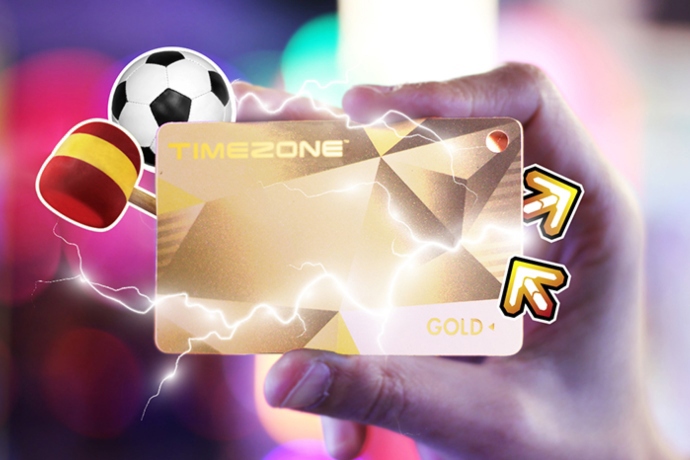
Gold: Go for Gold! Reaching 250 Reward Points will upgrade you to the Gold Tier.
Platinum: Truly a class of its own. Reaching 1,000 Reward Points will upgrade you to the ultra-exclusive Platinum Tier.
Please refer to the Rewards page for more information on rewards and benefits offered at different tiers. 1 Reward Point equals $1.
Simply sign up through the Timezone Fun App, available on iOS and Android or create your account online via the Member Portal, add your Powercard to your account and start getting rewarded.
The program is available to eligible guests who create a Timezone Rewards account and agree to the program terms and conditions. The minimum age to create an account is 13 years old.
Yes. Joining Timezone Rewards is completely free. Move up the tiers of Red, Blue, Gold and Platinum by reloading your registered Powercard.
You can create an account without adding a Powercard, but you'll need a Powercard registered on your account to start earning the benefits of that tier.
By adding your Powercard to your online account you registered them with us. The benefits of doing this are to protect your balances and get REWARDED! You can earn rewards and stay updated on our exclusive offers and receive invitations to member events.
You can access and manage your account through the Timezone Fun App, available for download on iOS and Android device, or via the online member portal through your device's browser.
You can update your details, including your email address, mobile phone number and favourite venue.
Timezone Fun App
To update your details on the Timezone Fun App, when you have logged in, navigate to your profile settings by clicking on "Account" at the bottom and then click on "Profile" underneath "Personal Settings".
Member Portal
To update your details on the Timezone member portal, when you have logged in, click on your profile image within the navigation header on the top right.
You can update your email address within your account settings. Yout reward balance and membership status will remain linked to your account. We will then save your new email address as the main email that we will send you offers and benefits to.
No. Each member should maintain a single Rewards account. If you create a second account with either the same email or phone number as your first account, the two accounts will merge together as one.
Once you have completed registration, you will have the option to link/register a Powercard to your account.
Timezone Fun App
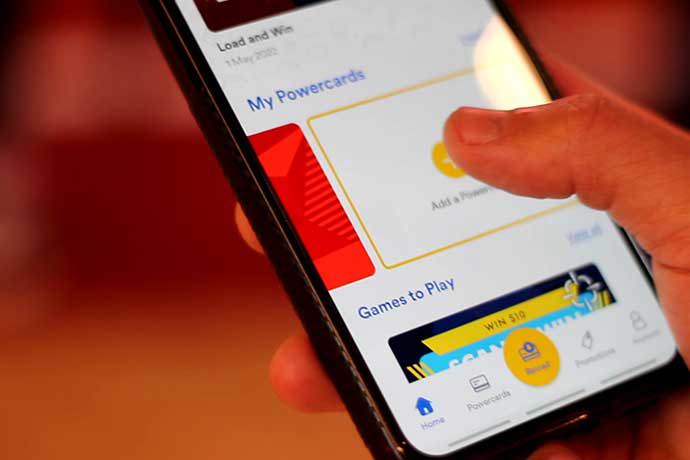
To add a Powercard to your account in the Timezone Fun App, click on "Add a Powercard" underneath the "My Powercards' section on the homepage.
Member Portal
To add a Powercard to your account on the Timezone member portal, click on "My Powercards" within the top navigation under the greeting banner and then click on "+ Add a Powercard".
Head into your local venue and see our friendly team who can help you in getting a replacement.
Reward points can be earnt through reloading your Powercard via the Timezone Fun App or in venue.
Reward Points are based on the net total load accumulated on a Powercard. We call these Reward Points. Your total Reward Points excludes bonus game credit earned from offers and promotions. One (1) Reward Point = One Dollar ($1)
Example: A load of $50 on a double-dollar offer shows a balance of $100 worth of game credits. The net load credited towards Timezone Rewards is $50.
Please create an account online via the Member Portal or download the Timezone Fun App, add your Powercard to your account and you'll be able to see your total Reward Points on your Powercards. Alternatively, visit your local venue.
Reward points are earnt when you reload a Powercard. The Reward Points are then added to the Powercard you have reloaded and accumulated over each reload.
Reward points are only earnt when you reload your Powercard with game credit. Check out our game credit promotions HERE.
Achievement and mid-tier bonus credit is sent to your Fun Account via an in-app redeemable voucher. Please login to your account via the Timezone Fun App to redeem. Discounted gameplay and free games are auto-credited into your Powercard upon meeting the required criteria.
To receive exclusive offers and Birthday Rewards, you need to be subscribed to Timezone marketing communications. You can do this in the member portal or the Timezone Fun App.
To upgrade your Powercard, visit your local venue with your Powercard to collect your new card.
Yes.Timezone Rewards includes multiple membership tiers that provide additional benefits as your progress.
The Timezone membership tiers are:
Tier progression is based on your eligible spending on your Powercard. Each tier requires a minimum Reward Points / spend. For example, to reach Gold tier, you need to have earnt 250 Reward Points on your Powercard.
To upgrade your card, head into venue and we will upgrade your Powercard to the eligible tier.
You can check your current status level in your online Member Portal account or via the Timezone Fun App. Upon reaching the required Reward Points for a tier, our team in a venue will be able to upgrade your Powercard. Please visit your local venue to upgrade.
Red/Welcome Tier
As a Red/Welcome tier, you can play at Timezone! We may from time to time send out exclusive offers!
Blue Elite Tier
Once you've hit Blue Elite Tier, you gain access to VIP game pricing and additional exclusive offers.
Gold Tier
Shine bright as a Gold tier member and access exclusive offers and events, free games, birthday credit and discount vouchers. Get rewarded for every 250 Reward Points with additional game credit.
Platinum Tier
Make it to Platinum for the highest tier reward benefits. Get more free games, credit and discount vouchers and be rewarded for every additional 1000 Reward Points accumulated.
With so much fun and benefits available, please refer to the Timezone Rewards page for more information on rewards and benefits for each tier.
Birthday rewards are awarded to Gold and Platinum members only. There are two kinds of rewards:
Vouchers are sent to your Fun Account and must be redeemed in a venue before the expiry. To ensure you receive birthday rewards, please:
Upgraded to Gold? Simply spend $1 in venue and receive your free game the very next day for the next 92 days! So, go forth my friend and play your FREE game! Free games are not transferrable to other venues and $1 will need to be spent in venue to activate the free game for that venue.
The daily FREE games that come with Gold and Platinum status are applicable to the venue that you loaded up credit in. $1 per 92 days must be spent for the daily free Yellow card reader game to be credited to your Powercard.
Playing for free rocks! Though the daily free games are non-accumulative and will be refreshed daily.
Who doesn’t love bonuses!? Gold and Platinum Powercard holders receive 1 x $25 game credit voucher for each 250 Reward Points spent. Example: 500, 750, 1,250, 1,500, 1,750, 2,250. Every 1,000 Reward Points will be rewarded with 2 x $25 game credit voucher.
The bonus credit will be sent to your Fun Account via an in-app redeemable voucher. Login to your account on the Timezone Fun App to redeem. Vouchers expire 31 days from when you receive the voucher.
One (1) Reward Point = One Dollar ($1)
Depending on the type of reward will determine how it's redeemed.
VIP game pricing is achieved when reaching Blue Elite, Gold or Platinum status is automatically applied when using your Powercard in venue.
The free game(s) reward for Gold and Platinum tier members is automatically loaded onto your Powercard at the eligible venue.
Achievement and mid-tier bonus rewards for reaching Gold or Platinum tier are redeemed directly in the Timezone Fun app.
Birthday rewards such as credit and party package discounts are redeemed in venue.
The achievement bonus reward is given when you reach either Gold tier or Platinum tier on your Powercard.
Gold tier members receive $25 game credit achievement bonus.
Platinum tier members receive $50 game credit achievement bonus.
Mid tier bonus rewards are given when you reach certain milestones.
Gold tier members receive $25 game credit for every 250 Reward Points earnt.
Platinum members also receive $50 game credit for every 1,000 Reward Points earnt.
These rewards are sent as a voucher and can be redeemed in the Timezone Fun App.
Birthday rewards are sent as part of the Timezone Rewards program. If you have a Gold tier or Platinum tier Powercard that is registered, and you have provided your date of birth, you will be eligible to receive birthday rewards.
Gold Tier card holders
30 days before date of birth, Gold tier members receive a 10% discount voucher off a birthday party package at Timezone. The voucher is presented on the day of the birthday party to receive the discount.
On the day listed as their birth date, Gold tier members receive a $10 game credit voucher which is redeemable in venue.
Platinum Tier card holders
30 days before date of birth, Platinum tier members receive a 20% discount voucher off a birthday party package at Timezone. The voucher is presented on the day of the birthday party to receive the discount.
On the day listed as their birth date, Platinum tier members receive a $15 game credit voucher which is redeemable in venue.
The daily free game awarded to Gold and Platinum tier members is automatically applied to the eligible Powercard.
To activate a daily free game the Gold or Platinum card holder must load a minimum of $1 onto the Powercard in venue. The daily free game will then be loaded onto the Powercard for the next 92 days afterwhich an additional mimimum load of $1 must be loaded onto the Powercard.
The free game is only applicable in Timezone venues where an in-venue transaction has taken place.
Card balances and e-tickets will expire one year from the date of last use, at which time any unused balance and Powertickets will be forfeited.
Last use is referred to the date your Powercard was used in a Timezone venue to play games, load credit or redeem prizes.
No. Reward points do not expire and can be accumulated over a period of time.
Yes, vouchers sent as part of the Timezone Rewards program do have an expiry date and if not used or redeemed before this date will expire and not be able to be redeemed.
Reward points are earnt for every $1 you reload onto your Powercard. $1 = 1 Reward point.
When reloading this information is sent into the system and your Reward Points is instantly updated. If there happens to be a delay in processing your Reward Point balance, please contact our Guest Support Services team by filling in the contact form.
Contact our Guest Service Support team and provide details of your account and we can investigate any missing rewards you may be eligible for.
Ensure you are entering the correct mobile number or email address on the login page and are entering the correct One Time Password (OTP).
If the issue persists, please contact our Guest Support Services team by filling in the enquiry form and we will be happy to help you log in to your account.
When adding a Powercard to your account, you will need the Powercard number and the three CVV digits. Ensure you enter the card number and CVV exactly as it appears on the card.
If you still receive an error when attempting to add a Powercard to your account, please contact our Guest Support Services team by filling our the enquiry form.
Mid tier vouchers are sent at certain milestones. Gold tier card holders receive $25 for every 250 reward points and Platinum tier card holders also receive an additional $50 for every 1,000 reward points.
Mid tier vouchers are only calculated and issued if your Powercard is registered before reaching that milestone. For example if you have an unregistered Gold tier Powercard that has 260 Reward Points and then register the Powercard in the Timezone Fun App, Rewards are not back dated to any previous milestones and only start accumulating from the 260 Reward Points.
Timezone is an Australian-founded family entertainment centre (FEC) brand that operates arcade and amusement venues featuring video games, prize machines, bowling, laser tag, bumper cars, and other attractions for families, children, and groups. It was established in Perth, Western Australia, in 1978 and has since expanded across the Asia-Pacific region.
Opening hours vary between locations, please check the Locations page for opening hours. Our venues are open every public holiday except Christmas day.
Timezone uses the Embed card system in all venues. This system is how you pay and activate games to play. Simply load any amount onto a Powercard and tap your card on the coloured card reader located on each arcade game.
Prices of arcade games vary depending on the type of game, what you can win, the length of game play and other various factors.
The cost of game play will be clearly visible on the card reader located on each game and can start from as little as $1.50 per game play.
No, you do not need to book to visit Timezone. If you are planning on hosting a birthday party at Timezone and using all our party facilities you are required to book.
You can make a birthday party booking through our online party booking system or head in venue and book in person.
Timezone accepts a variety of payment methods for purchasing Powercard credits, games, attractions, food and beverage (where available), and other in-venue purchases. Accepted payment methods may include:
Generally Timezone's pricing is consistent in each and every venue. Some venues have different offerings such as food and beverage or slightly different arcade packages depending on availablility of games and attractions. An example is Timezone Surfers Paradise has slightly different time play packages available due to the sheer size of the venue.
Yes. Timezone has a great selection of arcade games that are suitable for toddlers and children under 5 such as
Some venues also have an attraction called mini bowling which, as you guessed it, is miniature bowling where the bowling balls size in the palm of your hand.
There are select venues that have a cafe on-site and can provide food for parties. Some venues also have deals with local food providers for parties and functions. Please contact your local Timezone venue for more information.
Games of Laser Tag run for approximately 12 minutes.
All points or Powertickets as we refer to them are electronically transferred onto your Powercard when you finish playing a game with a red coloured swiper. We no longer accepts paper tickets. Some sites may use paper tickets in some machines. Those sites will have a Fun Chomper ticket redeeming station, which will convert your physical tickets into Powertickets and load them onto your card.
Yes, both game credit and Powertickets are transferable between all venues in Australia including Zone Bowling and Kingpin!
If you notice a game has malfunctioned whilst playing in Timezone, please head up to our front counter and let us know. We will review the game play and ensure you are reimbursed for any used game credit. We may disable further game plays on the game whilst we review and fix any issues.
Due to different offerings available at certain locations, not all promotions can be run at all venues.
All promotions will have accompanying terms and conditions and will detail where the offer or promotion is available.
Sometimes Timezone may have offers and promotions available online, in-venue, in selected venues. This will all be clearly outlined within the terms and conditions of an offer or promotion.
If you have lost your Powercard and it is registered then you just need to go into the venue that it was registered at with a form of identification. Our Team Members can look up your details on the system and re-issue your card.
Bonus dollars are an additional balance added to your card when you load up in venue or when you purchase a promotional product in store. This is additional credit awarded to you that can be used to play games in store.
Card balances and e-tickets will expire one year from the date of last use, at which time any unused balance and Powertickets will be forfeited.
You can check your Powercard balance online via the Timezone Fun App or the Member Portal.
No, Timezone does not currently accept Buy Now, Pay Later (BNPL) payment methods, such as Afterpay, for purchasing or reloading game credit.
Guests can use the accepted payment methods available at checkout when purchasing Powercard credit online or in-venue.
Please note: Available payment methods may change over time and can differ between venues, promotions, and online channels. For the most up-to-date information, refer to the checkout page when making your purchase.
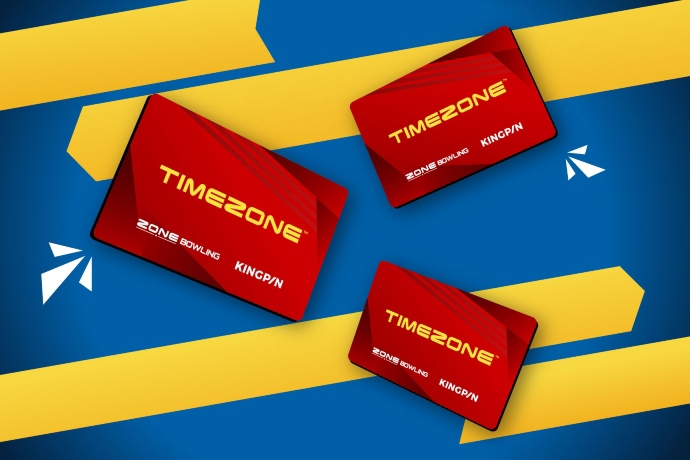
A Timezone Powercard is free to receive in venue. You can simply load any amount onto a Powercard to be used on arcade games and attractions in all Timezone, Zone Bowling and Kingpin venues across Australia.
Simply take your Powercard to the front counter and the customer service assistant will advise you of the amount of tickets you have available. You can then choose prizes from the redemption counter up to the value of the tickets you have available. If you do not wish to spend your Powertickets at that time they will remain on the card and any more power tickets won will accumulate. Powertickets have a 12 month expiry from last use.
Prizes from the redemption counter cannot be purchased for cash. They are only redeemable for Powertickets.
Powertickets expire 12 months after the last use date of your Powercard.
If you tap your card in-venue, you will get another 12 month's expiry from the date you tapped your card.
The majority of Timezone venues are accessible. Please contact us ahead of your visit to discuss your needs.
Not all locations have onsite amenities. For example, Timezone venues located in shopping centres do not have bathroom facilities in the venue. Please call ahead prior to your visit to discuss any needs you may have.
Timezone is not currently enrolled into the companion card and does not offer any companion discounts.
All venues have different parking availablity. Some Timezone venues are located in large shopping centres with ample parking spots. Some venues are located in smaller sites and parking may be limited.
At Timezone, the safety and wellbeing of our guests and team members is our top priority. We work hard to provide a fun, welcoming and family-friendly environment for everyone who visits.
Our safety measures include:
While we strive to provide a safe environment, parents and guardians remain responsible for supervising children in their care. We recommend that younger guests are accompanied by a responsible adult during their visit.
While we strive to provide a safe environment, parents and guardians remain responsible for supervising children in their care. We recommend that younger guests are accompanied by a responsible adult during their visit.
Yes, you may take photos and videos in venue for personal use. Photography or filing for commercial purposes must be approved by Timezone support office in advance of a visit.
Any requests made by Timezone team members to cease taking photos or videos must be obeyed otherwise you may be asked to leave the venue.
To help ensure a safe, enjoyable and family-friendly experience for all guests, certain items and activities are not permitted within Timezone venues.
Prohibited items may include:
Guests are also expected to behave respectfully and responsibly. Timezone reserves the right to refuse entry or ask guests to leave if they engage in unsafe, disruptive, abusive, inappropriate or anti-social behaviour.
For the safety and enjoyment of all visitors, please follow any instructions provided by our team members while in the a Timezone venue.
If you're unsure whether an item is allowed, please speak with a team member before your visit or upon arrival. Our team will be happy to assist.
At Timezone, we want every guest to leave with a positive experience. Because every situation is different, refund requests are assessed on a case-by-case basis by our venue team and management.
Where possible, we aim to resolve issues with a suitable replacement, venue credit, or another fair solution. For example, if a product, food item or experience doesn't meet expectations, our team will work with you to make it right and may offer a replacement or additional value as a gesture of goodwill.
If you have a concern during your visit, we encourage you to speak with a team member as soon as possible. The sooner we're aware of an issue, the more opportunities we have to resolve it and ensure you have a great Timezone experience.
Visit the Locations page for contact information.
Please visit the Careers page on our website and follow the prompts to apply for a job with us. Or you can apply directly in-venue.
If you have feedback, a question or complaint about Timezone, you can contact us via our enquiry form located on our contact us page.
If you have left something in one of our venues, you can either head back into venue and ask one of the Timezone team members or contact us via the enquiry form on our contact us page.
A $100 deposit is required when booking your party; the final balance is to be paid on the day based on your final number of guests. A minimum of 3 business days’ notice from the booking date is required to receive a refund of the deposit amount.
If for any reason you need to make an amendment to your party, please get in touch with us by phone or email. If you need to cancel your party, we ask that you inform us at least three business days prior to the party to receive a full refund of your deposit.
Please contact us by filling in our enquiry form on our contact us page.
Final payment for your Timezone birthday party is paid on the day of the party. We recommend you arrive at least 15 mintues prior to your parties start time to finalise any additional details and make the final payment.
When booking your birthday party online, your deposit can be made via credit/debit card or by PayPal.
If you wish to pay cash or EFTPOS, you can head into venue to book and pay your deposit.
A minimum of 3 business days’ notice from the date of the birthday party is required to receive a refund of the deposit amount.
Please contact us by filling in our enquiry form on our contact us page.
A carer is a parent, guardian or adult responsible for supervising the party children and a touch point for Timezone. We recommend that carers are present for the duration of your party. Carers are there to ensure the kids are all in attendance during each activity, escort the kids to the bathroom and ensure they are behaving appropriately in the venue. If there is a problem the Party Host will inform the carers, so it is necessary to remain in the venue to be able to supervise the party.
We ask that you organise a parent or carer to be available for the duration of your party as a touch point for our hosts – this could be you, your partner, a family member, or friend (anyone attending the party to help supervise the kids).
Party Hosts are there to help make your celebration fun and memorable by assisting with activities, coordinating the party schedule, and supporting your group throughout the event.
However, Party Hosts are not responsible for supervising children. A carer, parent or responsible adult must remain at the venue and supervise all children attending the party at all times.
A dedicated party hosts is included with every Timezone birthday party package. A Timezone party host will help coordinate your birthday party and assist with the party experience, but parents or guardians remain responsible for supervising children throughout the event.
Timezone party hosts are available to assist with check-in, food service (if included in your party package), party arrangements, and any questions that may arise during the celebration. They help ensure the event runs smoothly and that guests have a fantastic experience.
Depending on the party package you have chosen, Timezone parties are approximately 2.5 hours from start to finish.
On the day of the party, you and your guests will be welcomed by your dedicated party host and guided through the celebration schedule. Depending on your package, this may include gameplay, food and drinks, prize time, and access to a party room or designated party area. Our team will help ensure everything runs smoothly so you can focus on celebrating and having fun.
We recommend guests arrive 15 minutes before the scheduled party start time. Arriving a little early allows enough time for check-in, meeting the party group, and ensuring everyone is ready to begin the fun on time.
When you arrive, simply head to the venue front counter and make yourself known. A team member will welcome your group, confirm your booking details, and provide any information needed for the party. The party organiser may be asked to confirm final guest numbers and any outstanding payments.
Guests don't need to bring much, just themselves and their excitement to play! We recommend wearing comfortable clothing and enclosed shoes (not mandatory) suitable for a fun day of games and activities.
Timezone has a colour system for games based on the type of game. The conditions that apply to each game type are as follows:
No additional Powertickets are awarded during time play including birthday party packages.
Timezone offers a range of birthday party packages designed to suit different ages, group sizes, and budgets. Package options vary by venue and may include game credit, food and drink, party spaces, and other inclusions. Visit the birthday parties section of our website to explore the Timezone birthday party packages available near you.
Timezone birthday party package inclusions vary the package type. Typically every Timezone birthday party package includes arcade game play for each guest, food and beverages at select locations/packages, a reserved party space or table, and a party host to help with coordination on the day. Specific inclusions will be outlined when you select your preferred package.
The duration of a Timezone birthday party varies depending on the package and venue. Most party experiences run for approximately 2 to 3 hours, allowing plenty of time for gameplay, food, choosing prizes, and celebrating with friends.
Most Timezone venues have a party area available. Some locations offer dedicated party rooms, while others provide reserved party areas within the venue. Please enquiry with us when making your birthday party booking.
Party invitations are available! Download your digital birthday invitations here to print at home or head into your selected Timezone venue to collect some for your upcoming party.
Yes! Digital invitations are available to download and print off at home.
Timezone birthday party packages have a minimum of 10 guests. You can book up to 25 guests for a birthday party. If you guest numbers exceed this number, please contact us by submitting an enquiry form.
To help everyone have a smooth and enjoyable experience, we recommend sharing the party date, start time, venue location, and arrival time with your guests in advance. It's also helpful to let them know what food and activities are included, any special requirements they should be aware of, and who to contact if they have questions or can no longer attend.
There is a minimum 10 guests to enjoy the full experience of a birthday party with Timezone. This includes the party guest.
We request that you and your guests arrive 15 minutes prior to your party start time. This will ensure that your party experience begins on time and that none of your guests miss out on any of the fun! All parties at Timezone commence on the hour.
If a guest is unable to attend on the day, the party can still go ahead with the remaining guests.
Please note that party packages are charged based on the number of guests confirmed at the time of booking, and refunds or credits are generally not provided for non-attending guests. If your guest numbers change before the party, we recommend contacting the venue as soon as possible to discuss your options.
Absolutely! Siblings and parents can join in on the fun at a Timezone birthday party! Either add them to the party or you can purchase a separate Powercard for them.
The minimum age for a Timezone party is 5 years old.
Party bookings require a minimum of 10 guests and can accommodate up to 25 guests online.
If you're planning a party for more than 25 guests, some venues may be able to accommodate larger groups. Please contact your preferred venue directly to discuss availability and options for your event.
Yes! Adults can attend and even join in on the FUN!
Feel free to discuss your requirements with us. You are permitted to bring birthday cakes.
You are welcome to bring your own birthday cake! Please note that most venues offer cake storage, but varies per venue and you should check with your local Timezone venue.
As part of your booking, party spaces will be available for the final 45 minutes of your party. Please enquire when booking your party with us, as some venues do not have an area to sit.
Yes. We understand that some guests may have dietary requirements or food allergies, and we'll do our best to accommodate these where possible.
Not all Timezone locations offer food and you may need to bring your own.
If any guests have specific dietary needs, please let the venue know when making your booking or as early as possible before the party. Our team can discuss the available options and help ensure your guests are catered for.
Please enquiry with us when making your birthday party booking.
Not every Timezone venue offers food and/or drinks. Select venues have a cafe and some venues only have a drink fridge.
TO ENTER THE LASER TAG ARENA, YOU MUST
GAME RULES
Play fair, play smart, and give it your all
For more information on Laser Tag, please see HERE
Laser Tag cannot be exclusively booked out unless your group fills the arena capacity. If you party does not fulfill the arena capacity, other guests may be playing in the arena at the same time.
Spin Zone Bumper Cars
Only one person allowed per dodgem car. No Children under 4 years of age. Minimum height 112CM. Maximum weight 120KG. No loose articles allowed. No running. No bare feet. Safety restraint must be worn at all times. Keep hands on steering levers and feet in footrests during operation. No food or drinks allowed. Do not stand or step on bumper tubes. Do not bump rails. Please do not ride with seizures, neck or back disorders, heart conditions, motion sickness, pregnancy, prescription medication, dizziness or if intoxicated.
Traditional Bumper Cars
Limited 2 riders per dodgem car. Riders must be over 90CM to ride. No unaccompanied riders under the height of 130CM permitted. No food or drinks. No bare feet. No head-on bumping. Safety restraint must always be worn. No running. No loose articles allowed. Remain seated whilst in motion. If you suffer from the following, you are not permitted to ride: seizures, neck or back disorders, heart conditions, motion sickness, pregnancy, dizziness or if intoxicated.
For more information on bumper cars, please see HERE
Our party packages have a great additional add-ons to make your party extra remarkable! All available add-ons are available to add when making a birthday party booking.
In most cases, yes. Additional guests, food items, drinks, or game credit can often be added to your booking before the party date. Availability and pricing may vary by venue, so we recommend discussing any additions with us as early as possible.
Absolutely. Additional game credit can be purchased and loaded onto Powercards during the party. This is a great option if guests would like more gameplay beyond what is included in their party package.
Someone from Timezone will call you at least the Wednesday prior to your party at the latest to confirm the final number of guests attending.
Booking a Timezone birthday party is easy. Simply visit our booking website. The Timezone birthday party booking site will guide you through making a birthday party booking.
If you prefer to speak to someone directly, please contact us via the enquiry form and our team will help you choose the right package, confirm availability, and guide you through the booking process.
When you book online, our booking site will ask you the following questions:
When making a birthday party booking on our birthday party booking tool, you will only be able to select dates that have availability.
If there is a certain date you are wanting to book, we suggest making the party booking as far in advance as possible.
We allow birthday party bookings to be made 180 days in advance.
When making a birthday party booking on our birthday party booking tool, when you have selected the date, the next question is to select the time.
We only show times that have availability. If the time you wish to book is 'greyed' out, then that time is not available for the chosen date.
If there is a specific date and time you want to book, we suggest booking as far out as possible to ensure you are able to book the required date and time.
We allow birthday party bookings to be booked up to 180 days in advance.
We recommend booking as early as possible to secure your preferred date and time, especially for weekends, school holidays, and other busy periods. Popular party times can fill up quickly, so booking a few weeks in advance is always a good idea.
We allow birthday party bookings to be booked 180 days in advance.
Most Timezone venues offer birthday party packages, but availability, package options, and facilities can vary by location. Visit our birthday party website page to find your nearest venue and view available party options.
Timezone Northbridge in Western Australia and Timezone Fountain Gate in Victoria, DO NOT offer birthday party packages.
Avoid any postage and delivery times by going digital. E-gift cards are received via your chosen email address and activated within 24 hours after purchase, perfect as a last minute gift! Head over to giftcards.timezonegames.com, select a design and load amount, enter your contact details, complete payment and your e-gift card will be delivered to your nominated recipient.
Pick up a physical gift card in one of our venues and load up the gift card yourself online by going to giftcards.timezonegames.com and entering your contact details, the card number and load amount.
A minimum of $20 and a maximum of $500 can be loaded onto each gift card to a maximum order value of $2,500.
To load up the gift card you got in venue, head to our Grab and Go gift card portal
A Timezone gift card can only be purchased online at https://giftcards.timezonegames.com/ in the form of a digital e-gift card.
You can pick up a physical gift card in venue but it MUST be loaded online.
Our gift cards can be used at over 50 Timezone, Kingpin and Zone Bowling locations across Australia.
Gift cards can be used an indefinite number of times. It's based upon the value of the card so as long as there's value on the card, it can still be used.
A Timezone gift card can be used for purchases in-venue. This includes reloading your card or paying for the remaining balance of your party booking. Timezone gift cards cannot be used for Timezone Fun App reloads.
Timezone gift cards can also be used to book online at Zone Bowling and Kingpin but not for paying a birthday or Group and Corporate package deposit.
All gift cards are valid for 3 years from date of activation. You can check your balance and gift card expiry by going to giftcards.timezonegames.com and entering your gift card number and PIN.
To check the current balance on your gift card, head to our gift card portal and enter your gift card number and PIN.
TEEG Australia Pty Ltd (‘TEEG’) has engaged Vii Pty Limited (‘Vii’) to provide personalised eGift Card services. You acknowledge and agree that you must comply with the content guidelines set out below in order to use the personalised eGift Card services.
Content Guidelines for Personalisation
You must ensure that the images and videos that you upload (‘Content’) do not breach any intellectual property, privacy, publicity or other rights of any third party (‘Rights’).
Images/videos must not contain:
All videos and images that are submitted will be automatically screened prior to the personalised Timezone eGiftCard being issued to identify Sensitive Material. You acknowledge that the screening process may fail to identify Sensitive Material and agree that, notwithstanding the screening process, you remain solely responsible for ensuring that the videos and images uploaded by you do not contain Sensitive Material and comply with these content guidelines.
By uploading Content, you:
All gift cards are valid for 3 years from date of activation. You can check your balance and gift card expiry by going to https://giftcards.timezonegames.com/CheckBalance and entering your gift card number and PIN.
To log in to the Timezone Fun App, first download the app via the Apple App Store for iOS devices or the Google Play store for Android devices.
Once downloaded, open the app, click "Sign up"and enter your mobile phone number, First name, agree to our privacy policy and decide if you would like to receive marketing communications from us.Then click on "Send code". You will then receive a One Time Password (OTP) to enter in and confirm your mobile number.
Once confirmed - you're in!
Timezone Fun app gives you the ability to reload your Powercards, receive e-vouchers for reward benefits, view and track all your Powercards, play and win prizes and receive offers and special deals directly on your mobile device. Once you've installed the Timezone Fun app, you'll also have the ability to receive notifications for exclusive deals and explore our venue locations.
Download the Timezone Fun app on your Apple iOS device from the Apple App Store or on your Android device from Google Play. The Timezone Fun App is completely free to download and install.
Timezone Fun app is supported on the following platforms:
Yes! You can be signed in to your Timezone Fun app account on more than one device at the same time.
Ready to upgrade your experience? Download the Timezone Fun App and add your Powercard to your mobile device’s wallet to enjoy seamless gameplay at any Timezone venue with a tap of your phone.
Simply follow these steps:
1. Create a Fun App account or log in to your Fun App.
2. Add a Powercard to your account.
3. On the “My Powercards” section, click on “Details” to the right of the screen.
4. If you have multiple Powercards, swipe to the Powercard you wish to add to your device’s wallet.
5. Click on “Add card to wallet”.
6. Follow set-up steps from your device and click confirm.
7. Your Powercard should now be visible in your device’s wallet.
Hold your device near a game’s card reader and select your Powercard to activate the game.
Apple wallet and Google Wallet are the only digital wallets that support the Timezone digital Powercard.
To be able to add your Powercard to your device’s wallet, you will need to ensure that your Fun App is updated to the latest version 2.2.20. You can do this by visiting the Apple App Store or Google Play Store and click update.
You can only add 1 Powercard per Fun Account to your device’s wallet. If you have multiple Fun App accounts, you can add 1 Powercard per account.
If you upgrade your card or have your Powercard reissued due to card loss, you will need to remove your digital Powercard from your device’s wallet and add the new card number from the Fun App to your device’s wallet again.
You should be able to see your card balance, available tickets, card number and card type. The image display represents your card tier.
Yes you can! Simply show the card number to our Friendly Funsquad by
> For Apple Wallet: Click on the Pass Details or “i” icon to reveal the barcode for scanning.
> For Google Wallet: Click “Show code”.
You can reload your Powercard on the Timezone Fun App whilst at your favourite game or in the comfort of your own home. If you wish to reload in-venue, please present your physical Powercard to a Funsquad team member.
Registered Powercards will show in the Timezone Fun App under the "My Powercards" section on the homepage. You can also see further information about your Powercard by clicking on "Powercard" at the bottom of the Timezone Fun App.
If you do not see any Powercards in your account, register a Powercard to your account by clicking on the "Add a Powercard" under the "My Powercards" section on the hompage of the app.
If you receive an error message when attempting to add a Powercard to your account, try to enter the Powercard number and CVV again manually by typing in the number instead of using your camera to scan the number. If the error persists, please contact us, and we will help you resolve the issue as soon as possible.
Using the Timezone Fun App, click the Powercards tab at the bottom of the screen and navigate to the right where you can see "+ Add a Powercard" you can allow the camera function to scan your card number automatically. You will have to enter your CVV number and add a nickname for the Powercard manually.
Yes, you can add a Zone Bowling or Kingpin play card to your Fun Account. The image shown in the App will only be of the Timezone tier equivalent so make sure you enter in a relevant Nickname when adding your card.
The coloured card readers on games and attractions help you quickly identify the type of experience you're about to play.
Red – Ticket games where you can win Powertickets to save and redeem for prizes in the winners vault.
Yellow – Standard video games, including racing, sports, shooters, pinball, and other arcade favourites.
Blue – Feature games and premium experiences, such as virtual reality, motion simulators, and other immersive attractions.
Green – Attractions, including experiences like laser tag, bumper cars, bowling, and other venue-specific activities.
Purple – Prize games, where you play for the chance to win an instant prize, such as claw machines and other prize vending games.
Card balances and e-tickets will expire one year from the date of last use, at which time any unused balance and Powertickets will be forfeited.
When you make a reload or use your game credit, your card balance will update near instantly. You may need to refresh your app to see the latest balance. Please contact us if you experience any issues such as latency in your balances updating.
Checking your Powercard balance is quick and easy! Sign in to your Timezone account, go to the Powercard section and select the card you wish to view the balance on. Swipe right/left to switch between Powercards.
Game credit cannot be transferred or combined from multiple Powercards onto a single card. There is no minimum load amount that can be added to a Powercard to be able to use any remaining game credit balances.
However, when redeeming prizes, you can combine the Powerticket balances from multiple Powercards to help you reach the required ticket total for larger prizes.
If you have multiple cards, simply present them to a team member at the prize counter and they'll assist with the redemption process.
Please check if your credit card has been charged. If it has, please contact us and we will assist you as soon as possible.
Ensure that your Fun Account is secure as all in-app card reloads are non-refundable and non-transferable to another Powercard.
Yes! Your online reload will be added to your Powercard instantaneously and you can enjoy playing your favourite games right away.
In the Timezone Fun App, click on the Reload tab. Toggle the top list to select the Powercard you want to reload. View all the reload offers available and select the Powercard you want and proceed with the payment process.
Yes! Your new balance will be updated, and you will also be able to check your balance in a venue by tapping your Powercard at a check balance station, at a kiosk or asking our team to check your balance.
In your app, go to Account > My invoices. Select the invoice to view or save as a PDF. Invoices are only available for transactions made in the last 3 months. Please contact us if you need invoices/receipts beyond 3 months.
In the Timezone Fun App, you can reload your Powercard with our standard bonus credit deals. From time to time, there are also exclusive promotions and game credit reload deals only available in the Timezone Fun App. To see the current offers and promotions available, check out our promotions page or log in to the Timezone Fun App and click on "Promotions".
Timezone accepts a variety of payment methods for purchasing Powercard credits via the Timezone Fun App. Accepted payment methods may include:
Credit and debit cards
Contactless payments (such as Apple Pay and Google Pay)
No. The Timezone Fun App does not store credit card details or payment methods on your account.
For security reasons, you'll need to enter your payment information each time you make a purchase or reload Powercard credit through the app.
This helps ensure your payment details remain secure and gives you full control over each transaction.
From 01 May 2026, an online reload must be completed within 30 days of registration to receive the $10 bonus.
Thanks for downloading and creating a Timezone Fun account! Please ensure you've completed your profile & reloaded in the Fun App to receive your FREE $10 game credit voucher. See the steps below on how to receive your $10 bonus:
Terms and Conditions
In the Timezone Fun App, once you have logged in, on the homepage, scroll down to "Timezone Venues in my region". In this section will list the closest venues to your chosen region in your account settings.
Click on "view all" to see the full list of Timezone venues across Australia including venue information such as address and opening hours.
You can also click the map icon in this section to bring up a map of Timezone locations close to you.
In the Timezone Fun App, once you have logged in, on the homepage, scroll down to "Timezone Venues in my region". Click on "view all" to see the full list of Timezone venues across Australia including venue information such as address and opening hours.
Since June 2023, trying to remember your password is a thing of the past! A One Time Password or OTP is now sent for verification to sign in to your Timezone Fun App account.
To login, either enter your registered email or registered mobile phone number, wait to receive the OTP and enter the OTP in the Timezone Fun App.
Sign in to your Fun account via the Timezone Member Portal or Timezone Fun App. Click on the "My Profile" tab. To add a new email or mobile, click on "or you can add a new one". Enter your new email or mobile number, and click verify. Enter the One Time Password you receive and confirm.
We are happy to review this change for you. Please contact us with your photo identification stating your correct birthdate, and we will update it as soon as possible.
There are two ways to delete your account:
In-App Deletion:
Webform Request:
We will delete all data associated with your account, subject to legal or regulatory requirements. This may include information like your profile information such as username, date of birth, preferences, and any data you have created during sign-up. Data may still be available up to 45 days after you have deleted your account.
There are two ways to delete your account:
In-App Deletion: The Account is deleted immediately.
Webform Request. The account will be deleted within 7 working days, and the requester will receive confirmation from the Fun Squad once the deletion process is completed.
Deleting your account will permanently remove all associated data with your account and Timezone will no longer have any of your account information such as your username, email address, phone number and date of birth. Once the delete process is complete, it cannot be undone. You will also be unable to create a new account with the same email or phone number for at least 30 days.
After deletion, creating a new account with the same email or phone number will be blocked for 30 days.
In your app, go to Account > My invoices. Select the invoice to view or save as a PDF. Invoices are only available for transactions made in the last 3 months. Please contact us if you need invoices/receipts beyond 3 months.
Depending on the type of reward will determine how it's redeemed.
Some vouchers are redeemed directly in the Timezone Fun app and applied to a Powercard. Other vouchers need to be redeemed in venue
In the Timezone Fun App home screen, select the “My vouchers” option at the top left of the screen to view your active e-vouchers. Click “View all” to see all vouchers and toggle to view Active, Redeemed, or Expired vouchers.
On the Timezone Fun App click Account > App Theme and select any theme. You can switch themes at any time.
To enable push notifications, go to your notification centre or notification settings on your mobile device and enable push notifications for the Timezone Fun App.
To disable push notifications, go to your notification centre or notification settings on your mobile device and disable push notifications for the Timezone Fun App.
To unsubscribe from marketing emails, you will need to click on unsubscribe link in the email itself to access your preference centre and unsubscribe from Timezone marketing emails.
You cannot adjust your marketing communication preference in the Timezone Fun App.
To unsubscribe from marketing SMS text messages, you will need to click on unsubscribe link in the SMS text message itself to access your preference centre and unsubscribe from Timezone marketing emails.
You cannot adjust your marketing communication preference in the Timezone Fun App.
We love to hear your feedback! You can use our Contact us section in the app or fill out the Contact us form HERE and selecting "Fun App or Guest Portal" as the Subject of Enquiry.
If your Timezone Fun app is no longer working, you may be using an outdated version that is no longer supported. Please download the latest version from App Store or Google Play by searching for the app by name and clicking on update.
The Timezone Fun App uses global online payment providers which are certified with level one PCI DSS compliance, the highest level of encryption available. This ensures that all payment data is safeguarded. For authentication, Timezone has implemented one-time password (OTP) authentication that requires a user to provide a unique and time bounded verification code to gain access to the application. This is used to protect and secure user data.
The card that you see in the app reflects the card that you are holding. If you are already qualified for an upgrade, please head to any Timezone venue for a new Powercard. Once you have had your card reissued onto a new Powercard, your Powercard will automatically be added to your account to track and receive rewards.
Your old Powercard will automatically be removed from your account in 24-48 hours.
If the Timezone Fun App is crashing while attempting to use it, please ensure you have updated the app to the latest version available. If the problem persists, please our Guest Services Support team via the Contact Us page and submit an enquiry.
If you require any support or have questions, please contact our Guest Services Support team via the Contact Us page and submit an enquiry.
You must confirm the final number of guests that will be attending the event at least five (5) working days prior to the date of the event. Failure to do so, means any payments due to Timezone will be based on the number of guests specified in this event confirmation.
Centre management reserves the right to exclude or eject any objectionable persons from the venue.
If the event is cancelled by notice in writing received by Timezone:
Group packages are available to groups of 15 people or more. If your group is under 15 people, please contact us and we can suggest alternate options.
We often receive group bookings 4-8 weeks in advance, and 12 – 24 weeks for peak season events. However, we will always do our best try to accommodate your event at short notice.
We accept no responsibility or liability for loss or damage to property brought into the venue and we suggest to seek your own insurance to cover such an event.
Group packages are already at a reduced rate as they are offered to groups of 15 people or more only.
Of course! If you are expecting a mix of adults and children at your event, it makes perfect sense that everyone can be included in the fun. Please speak with your event specialist to discuss the best options available for your group.
To start your group booking, simply submit a Groups & Corporate Events enquiry through our enquiry form. Our team will review your requirements and contact you to discuss package options, availability, and next steps.
Yes. For corporate and group events, you'll work with a member of our events team who will help coordinate your booking, answer questions, and assist with planning your event.
From the initial enquiry through to the day of your event, we'll work with you to ensure everything runs as smoothly as possible.
All prices are current at the time of the quotation and may be subject to revision prior to receipt of a signed event confirmation. Prices are inclusive of the applicable goods and services tax.
Depends on the package selection or additional activities added, time play packages for corporate parties range from 60 mins – 120 mins.
Timezone hosts a wide range of corporate events, including team building activities, staff social events, end-of-year celebrations, Christmas parties, employee reward programs, client entertainment events, and company milestone celebrations.
Timezone welcomes groups of all sizes. Our Group and Corporate pacakges are suited for Groups of 15 or more.
Selected Timezone venues offer private event spaces, exclusive attractions, or full venue hire for corporate functions, team-building events, and special occasions.
Availability varies by location, so we recommend contacting us to discuss your event requirements and available options.
Food and beverage is only available at select venue locations. Please speak to one of our friendly event specialists to understand which venues offer food & drinks.
Only permitted at select venue locations which do not offer onsite catering. For more information, please speak to one of our event specialists.
Food and beverage options are only available at selected Timezone venues. Most Timezone locations do not operate cafés or kitchens. Venue-specific options can be discussed during the enquiry process.
At venues that offer catering, dietary requirements may be accommodated where possible. Please provide details during the booking process.
At select venues, food and beverage options may be available as an add-on. Please speak with our team to discuss available options.
Take reality to the next level. Feature games are games that are virtual reality motion simulators. Think Rabbids VR or King Kong of Skull Island VR. Feature games vary pending on venue.
Timezone group packages typically focus on Time Play, giving guests access to a large range of arcade games throughout their session.
All Timezone venues have arcade games to play in your chosen Group and Corporate pacakge. Additional activities vary by venue, such as Laser Tag, Bowling, Bumper Cars, and Darts. Our team can help identify the best options based on your preferred location.
We can email a risk assessment at your request.
Some Timezone venues offer private event or function spaces. Availability and facilities vary between locations.
Selected venues may have access to presentation equipment or function facilities. Requirements should be discussed during the enquiry stage.
Wi-Fi availability varies by venue. Our team can confirm specific venue capabilities during the booking process.
Timezone aims to make its venues accessible and welcoming for all guests. If any members of your group have accessibility requirements, please let us know when making your enquiry.
At least five (5) working days prior to the date of the event, the client must pay the balance of the amount due to Timezone in respect of the event. The amount of the final payment will be the greater of:
Payments may be made using any major credit card, BPAY or cash. By paying the deposit and signing the event confirmation, the client irrevocably confirms liability for payment to be made for all amounts due to Timezone in connection with the event.
In the event of payment by BPAY, please refer to your invoice for the relevant biller code and customer reference number.
Please send a copy of the remittance advice to the accounts team via acct_receivable@teeg.com as well as to your Timezone Event Specialist so that the payment can be matched to the event.
A deposit equal to 50% of the estimated amount due to Timezone in respect of the event must be paid at the time that the event confirmation is returned.
A 50% deposit is required to secure your booking, with the remaining balance due 5 days prior to the day of your event.
Your Events team will confirm the payment schedule, deposit requirements, and final payment due date when your booking is made.
Yes. Itemised tax invoices can be provided for corporate and group bookings.
Many venues can also accommodate payment via a corporate purchase order (PO) or invoice, subject to approval and booking requirements. Please speak with a Group and Corporate sales team member before booking to discuss the available payment options.
Payment options for corporate bookings may include credit card payments and direct bank transfer. There may be other payment options available depending on the venue and booking arrangements.
Our team can discuss the most suitable payment method for your organisation during the booking process.
Once you arrive in venue your host will be your main point of contact for the entirety of your event. Our managers will oversee the operation of your event and are available to facilitate any onsite needs you may have.
Loss or damage caused by the company or group, including its guests and contractors, to any part of the venue or its equipment will be the responsibility of the company or group.
Please contact us if you are running late so our team can try our best to accommodate to the changes in event timing.
We suggest that you arrive around 10-15 minutes prior to your event.
Venue management will take all reasonable care but will not accept responsibility for the supervision and well-being of a minor.
The display of banners, signs, labels, decorations or the like must be first approved by venue management and as such must not be nailed, screwed, glued, stapled or similarly adhered to any part of the Timezone venue.